Mobile Satu Akses DCKTRP
Designing a unified mobile superapp that consolidates all services and applications of the Cipta Karya Tata Ruang dan Pertanahan (DCKTRP) agency into a single, accessible system for both citizens and government staff.
Lead UI/UX Designer
Mobile Application
Figma
Adobe Illustrator
4-6 Months
Project Overview
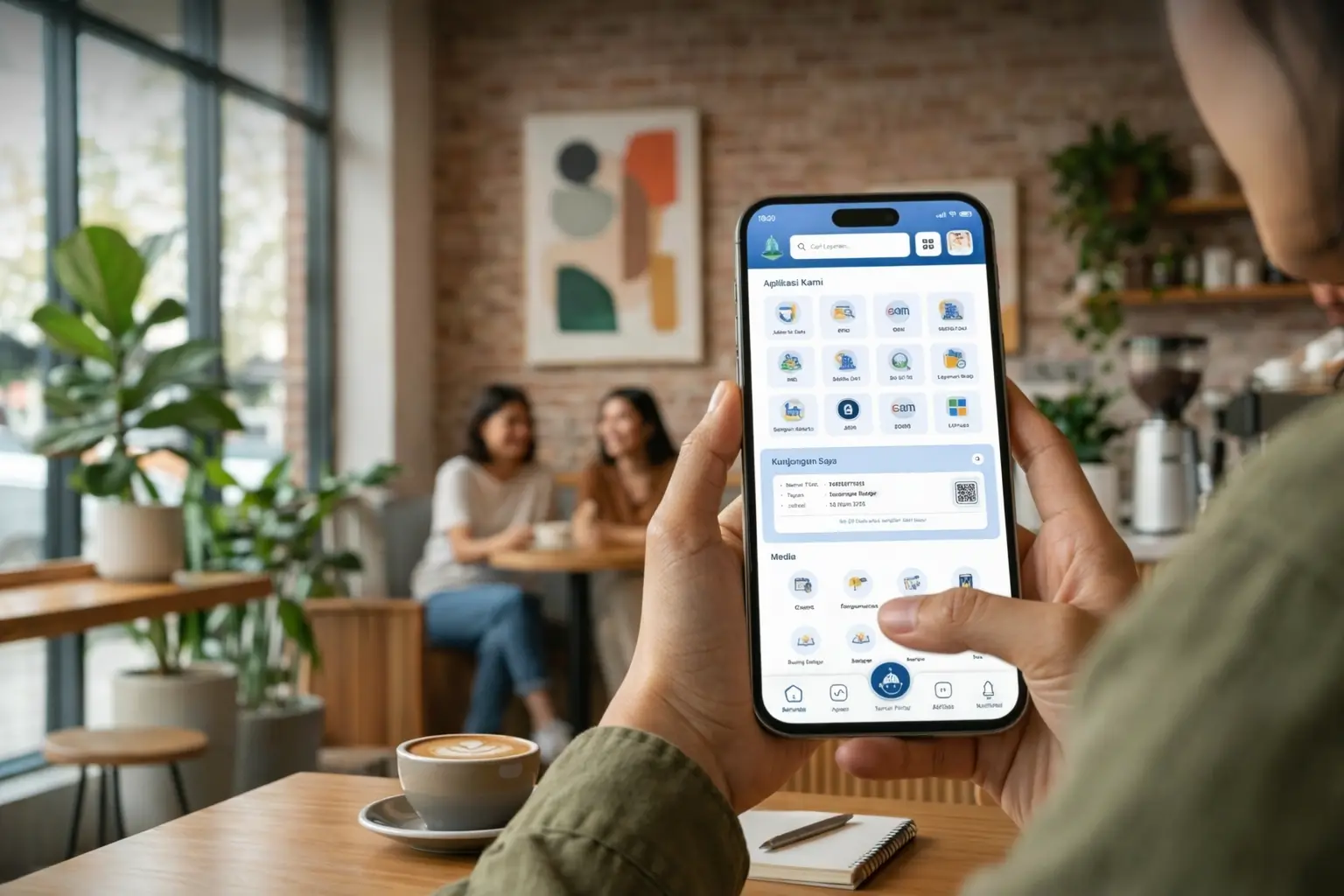
- This project is a mobile superapp designed to consolidate all DCKTRP DKI Jakarta services into a single platform — accessible by the general public including citizens, civil servants, experts, contract workers, and staff within the Jati Baru technical building.
- As Lead UI/UX Designer, I was responsible for the end-to-end design process — from initial research and concept development, to building the design system, creating mockups, and overseeing the implementation handoff with the development team.
- This design system and UI Kit I built serves as the official visual standard for all current and future services developed within the superapp ecosystem.
- The app has been live on both Google Play Store and Apple App Store since early 2025, and is actively used and continuously updated by the agency.
Role & Scope
- Served as the sole Lead UI/UX Designer, working directly under the Head of Pusdatin (Center for Data and Information).
- Responsible for building the mobile superapp template, UI Kit, and design standards used across all integrated services.
- Maintained close coordination with the development team to ensure design-to-development consistency at every stage.
Background
- DCKTRP DKI Jakarta previously managed multiple separate web-based services with no unified access point — making it difficult for both the public and agency staff to navigate and use services efficiently.
- The agency needed a centralized digital platform that could accommodate all existing services while providing a scalable foundation for future service additions.
Problem Statement
User Flow
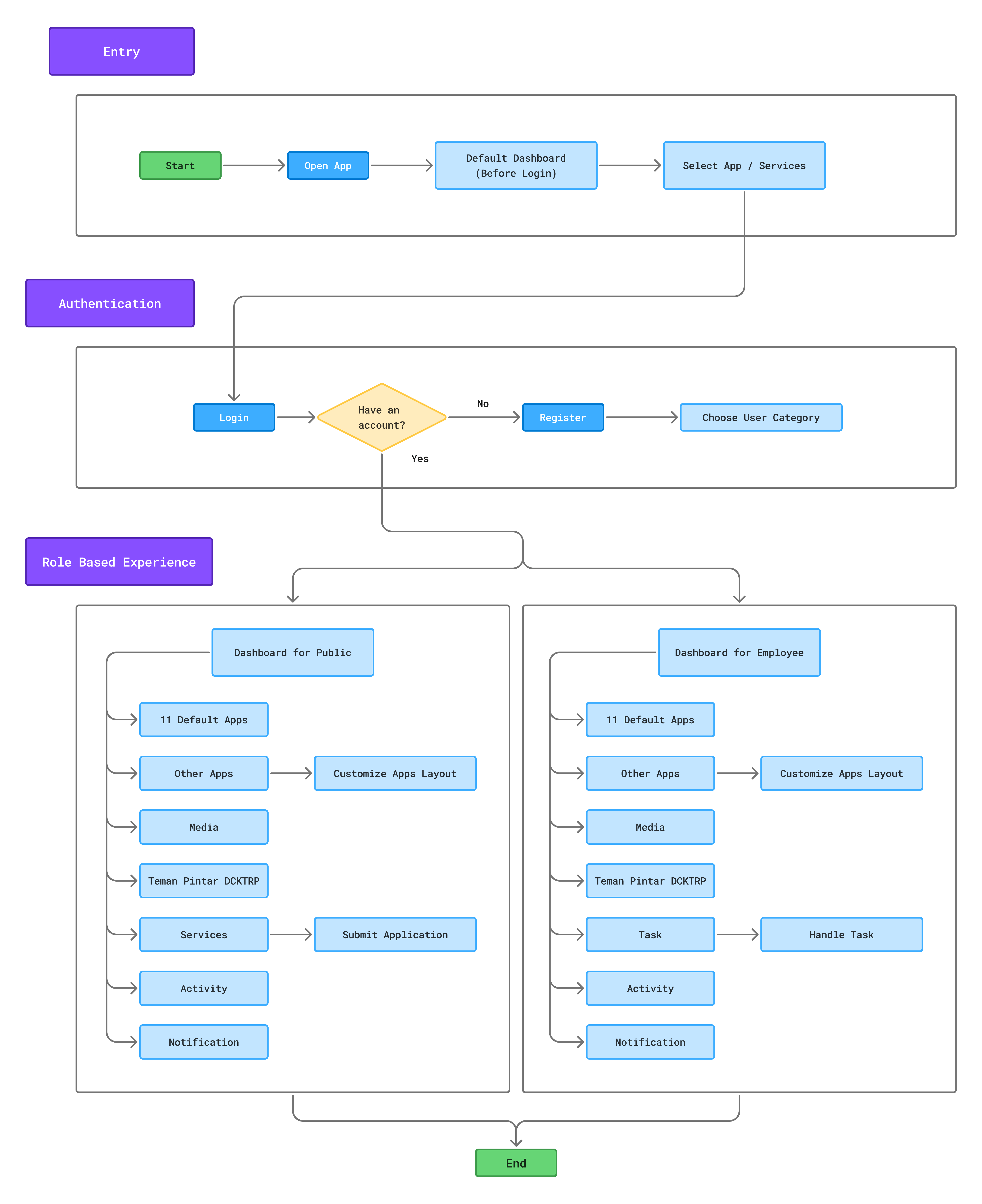
To understand how users interact with the app, a user flow was created starting from opening the app through to accessing all available features and services.
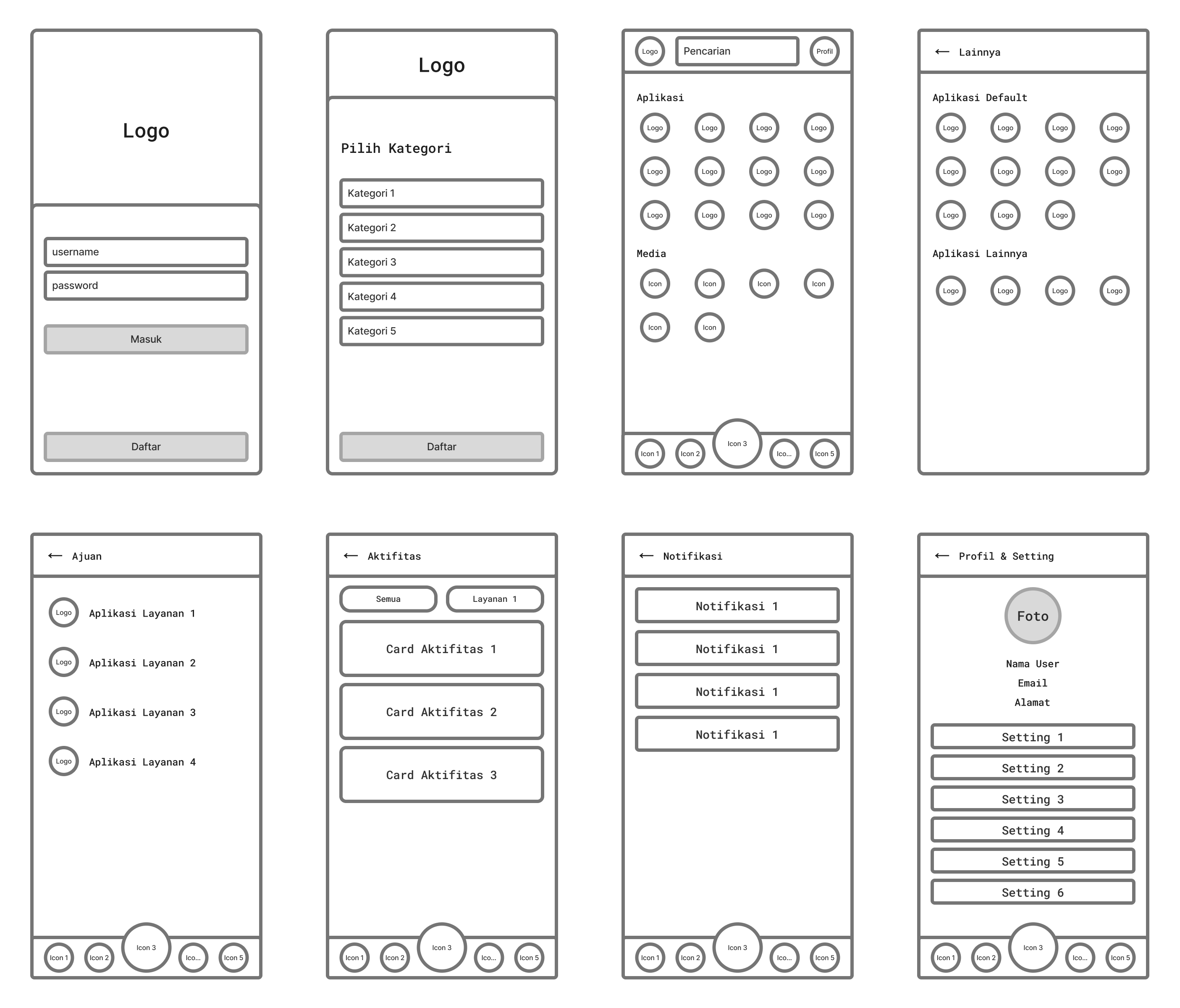
Wireframe
Wireframes were created to map information architecture and define the basic interaction flow before moving into the visual design stage.
Final Design
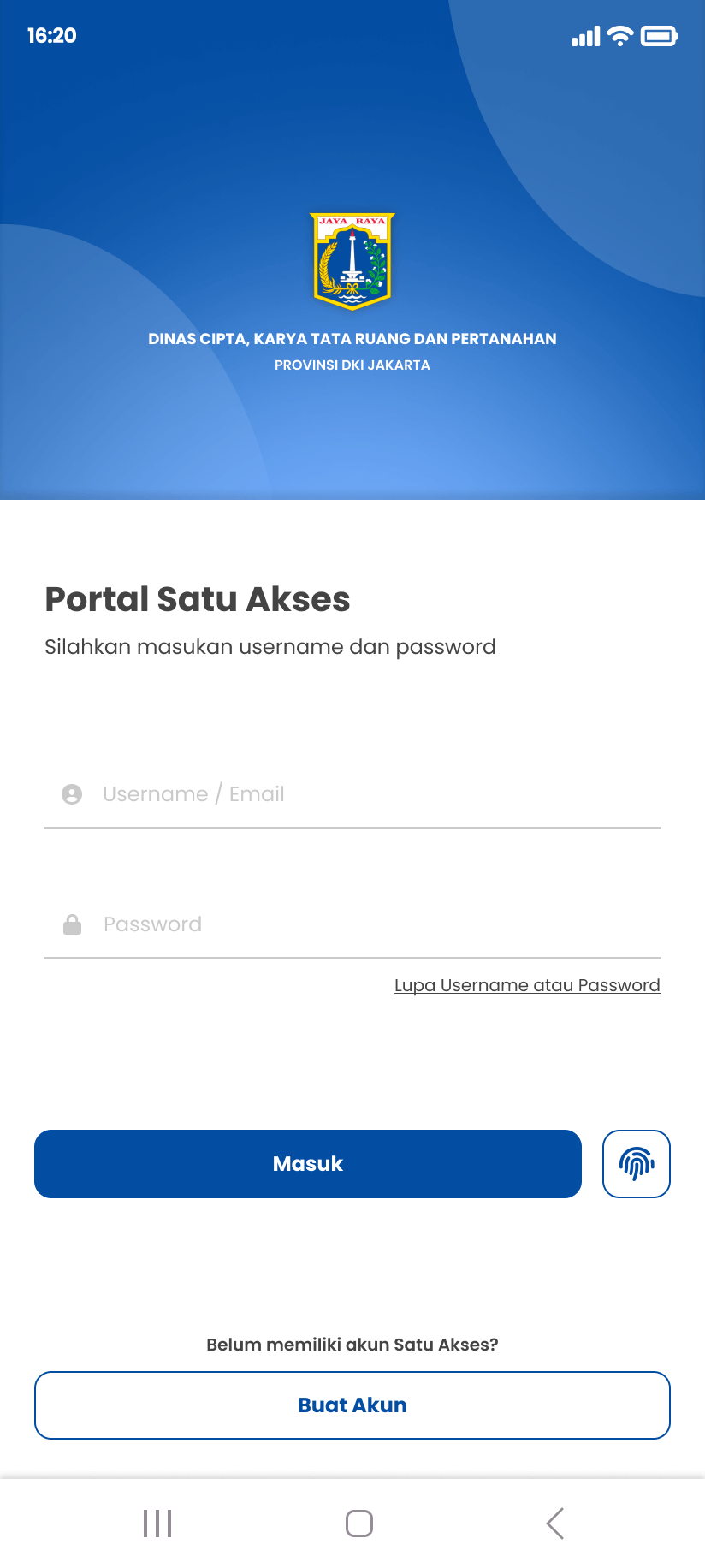
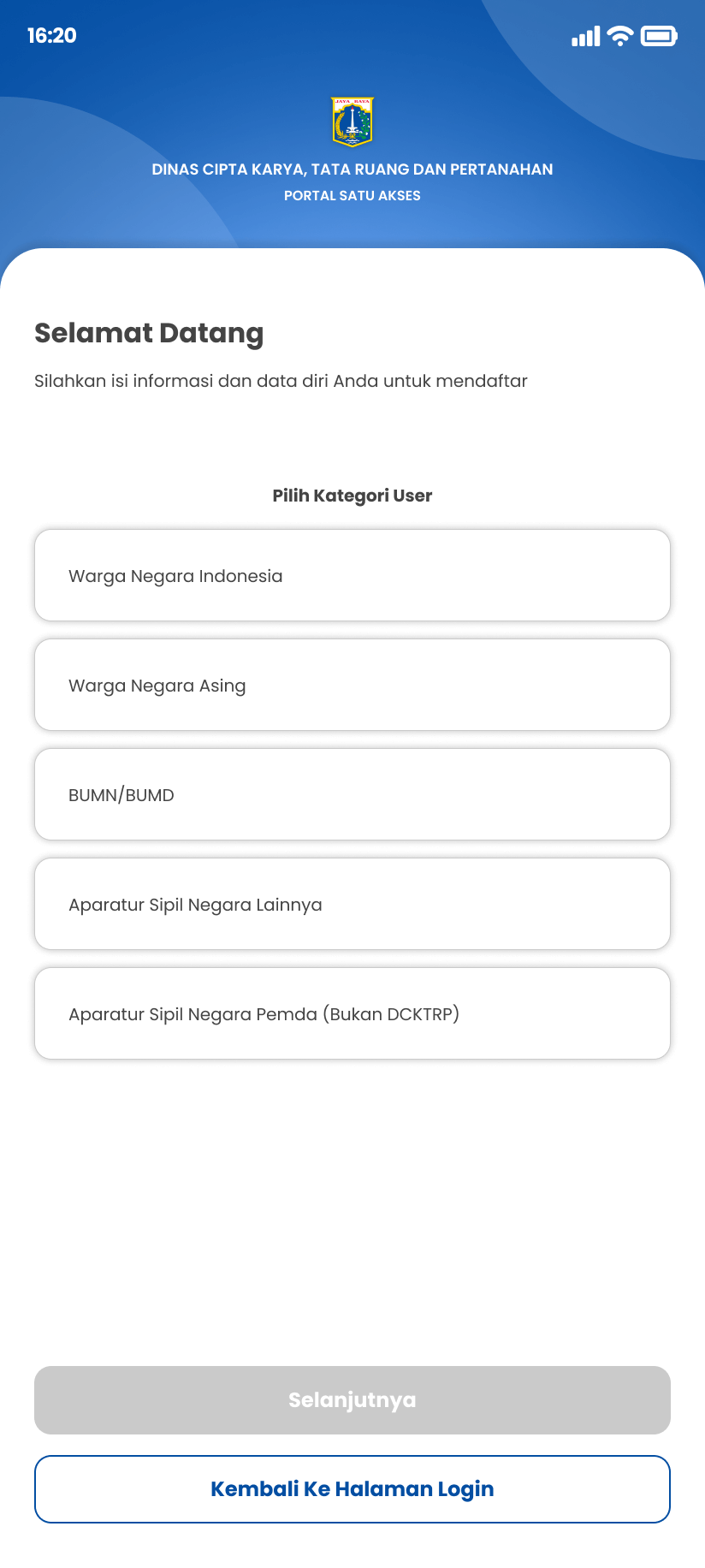
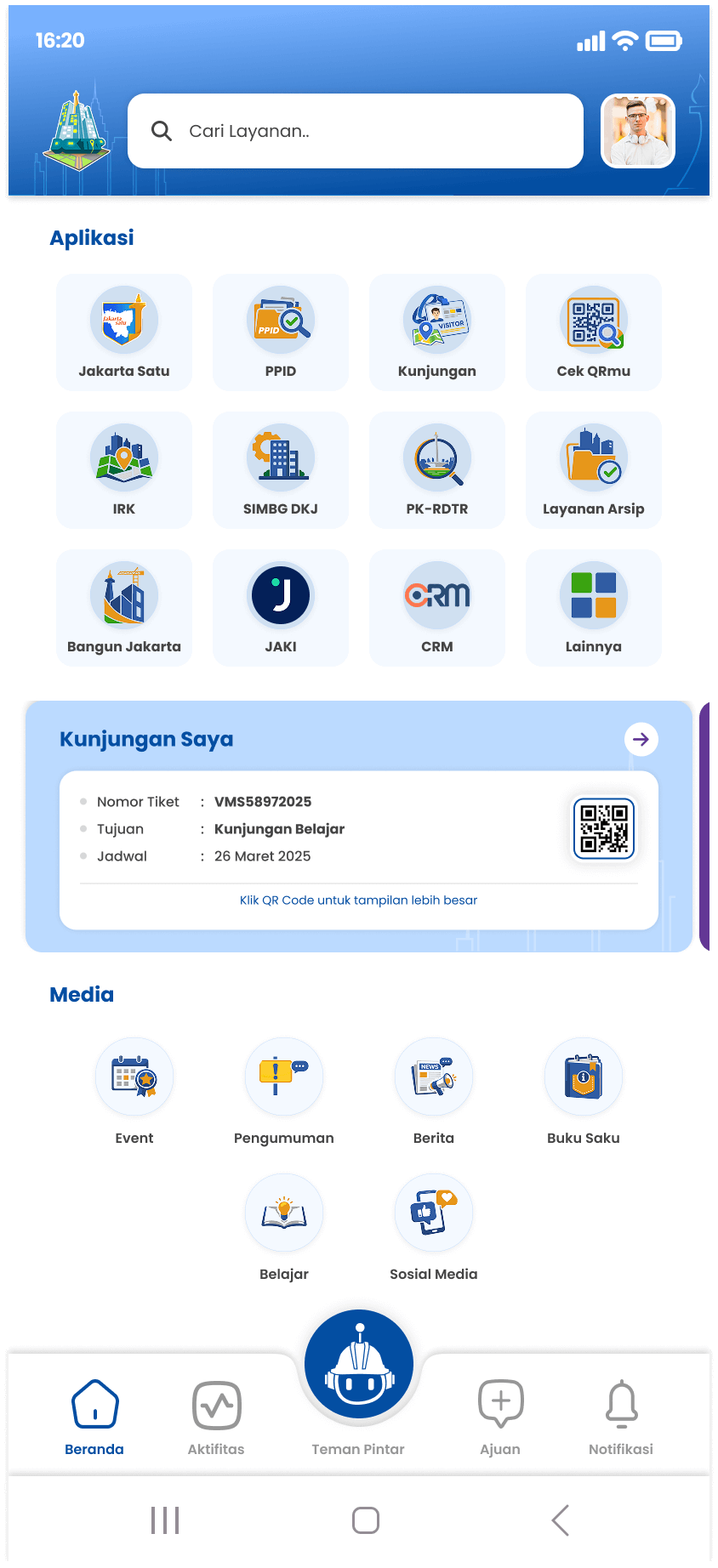
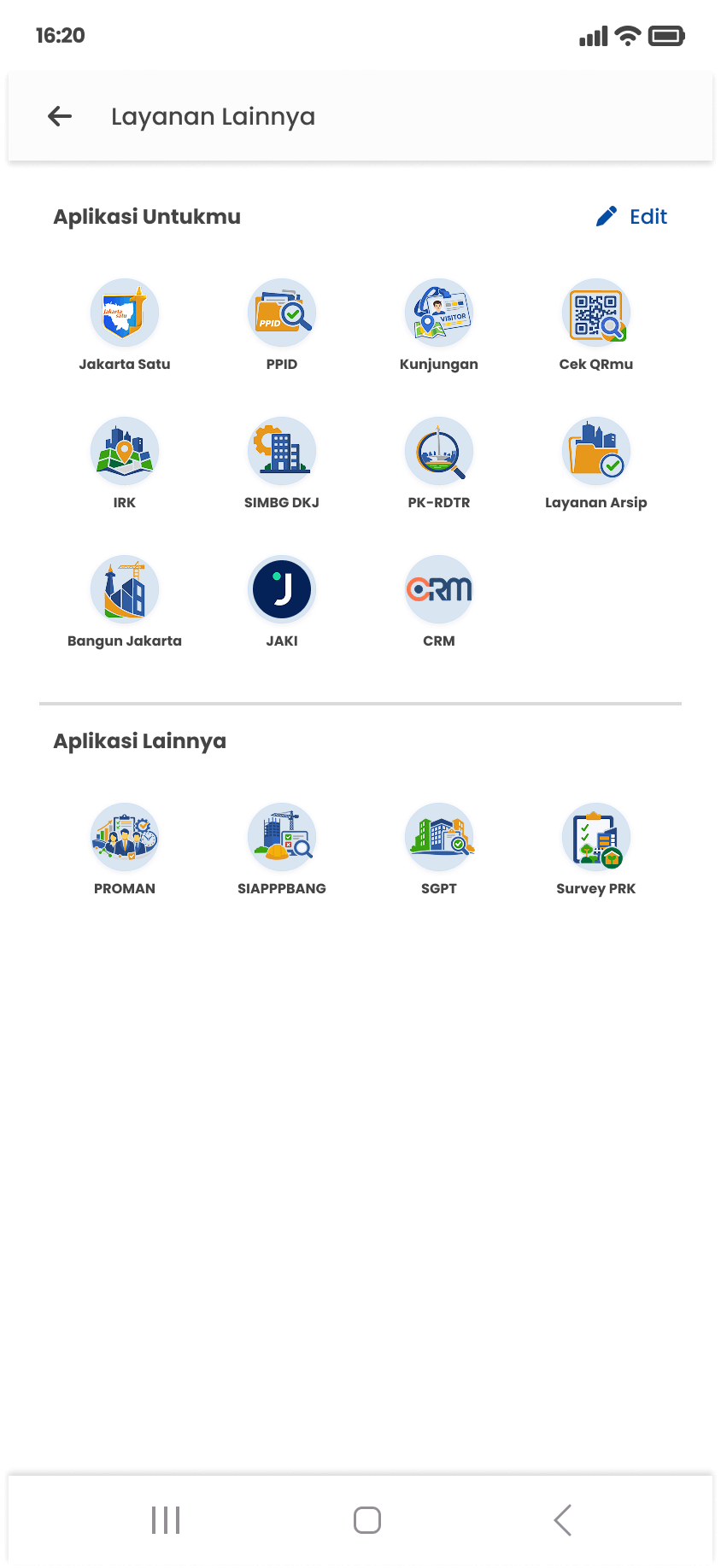
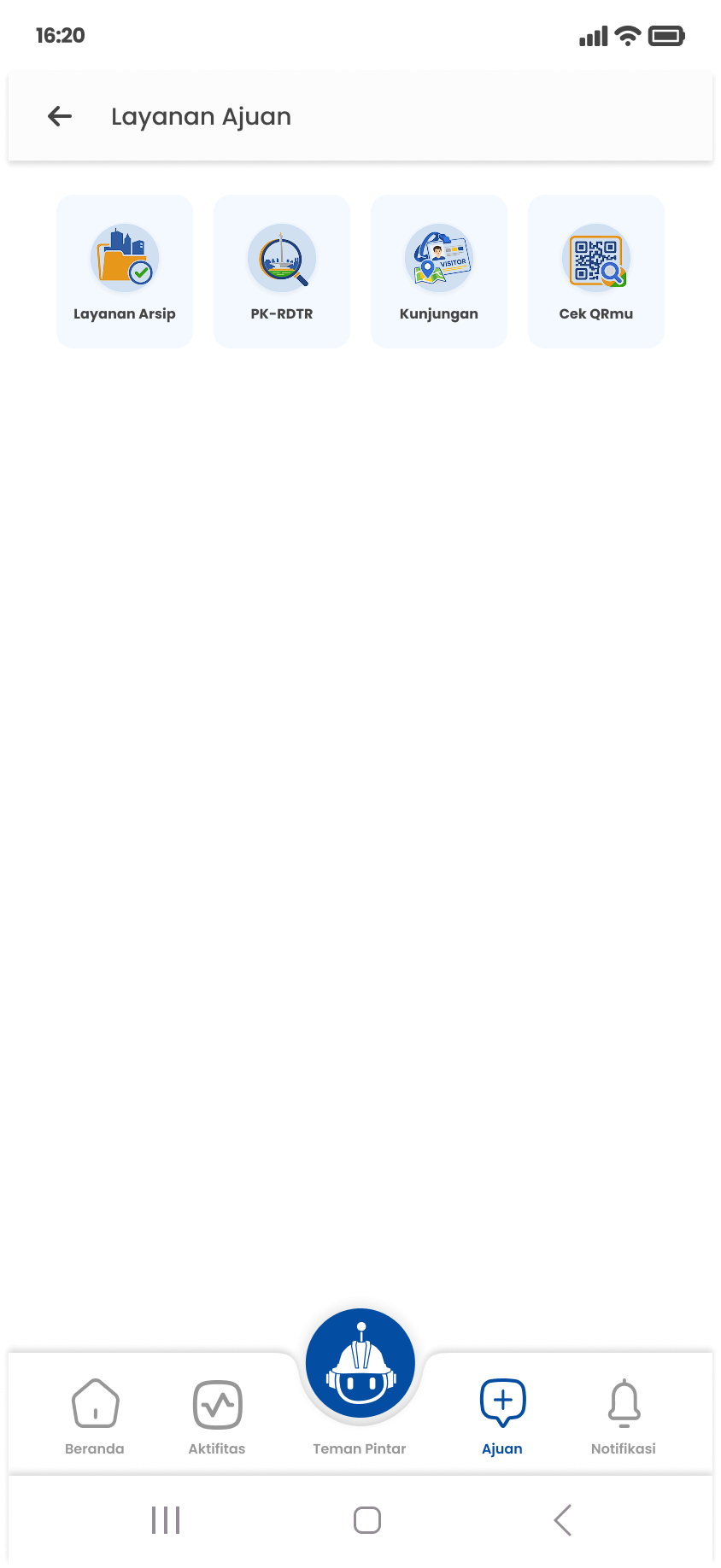
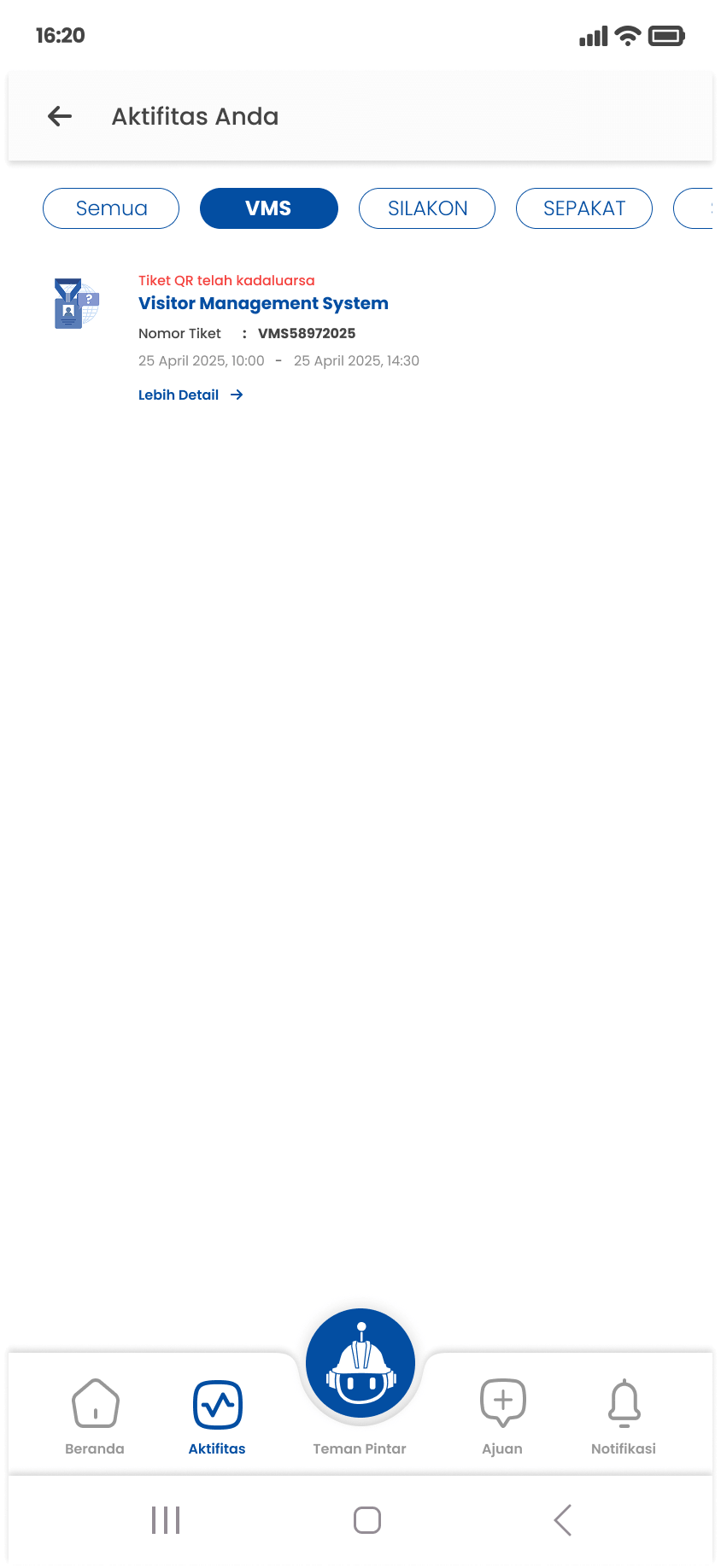
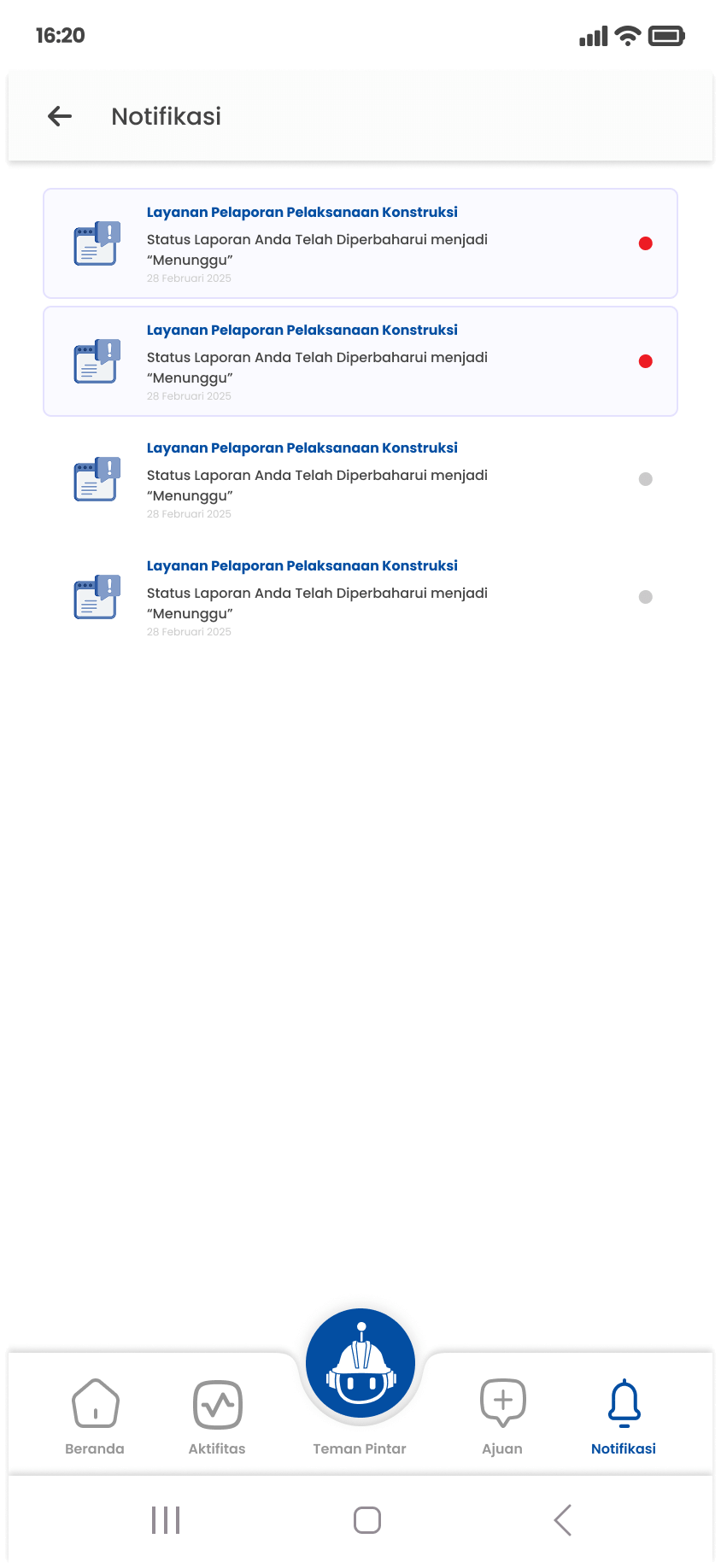
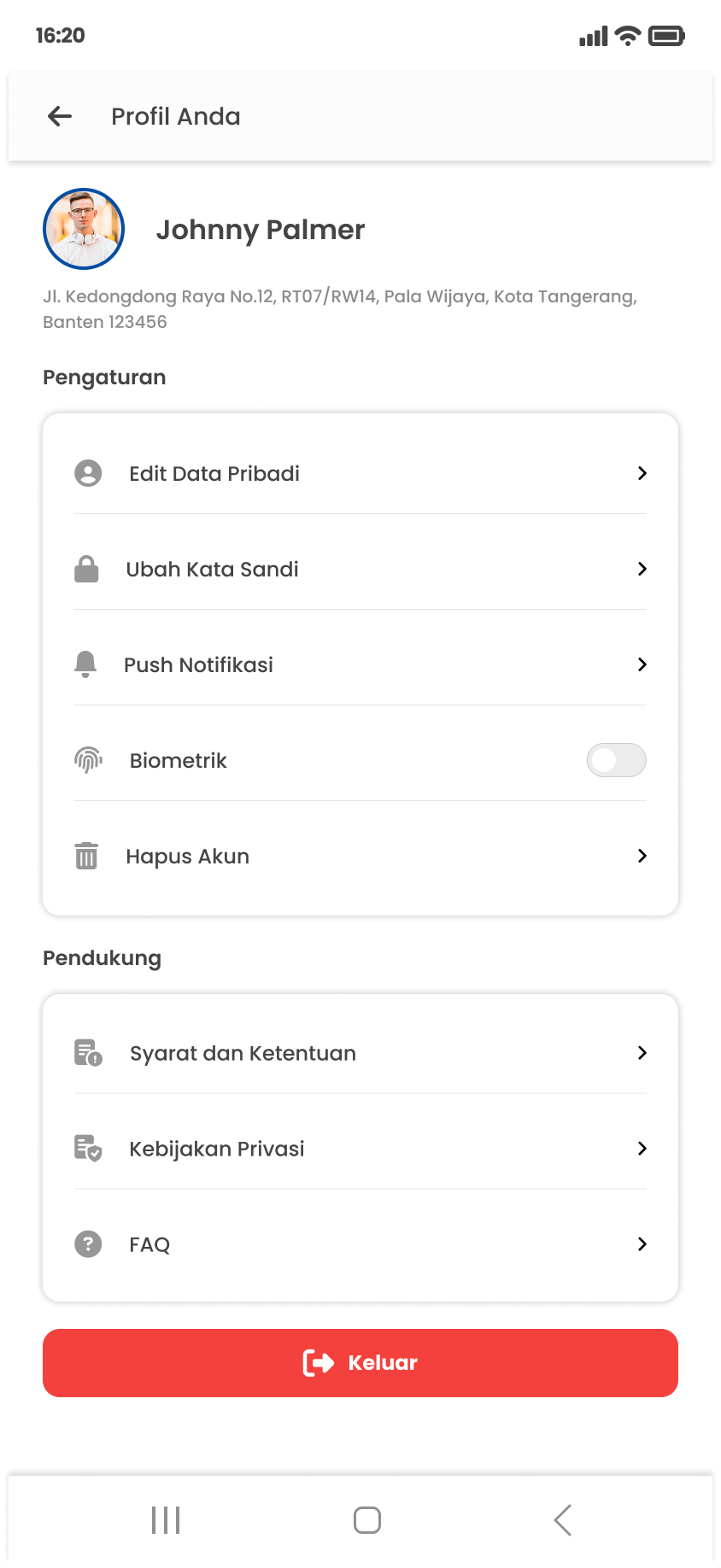
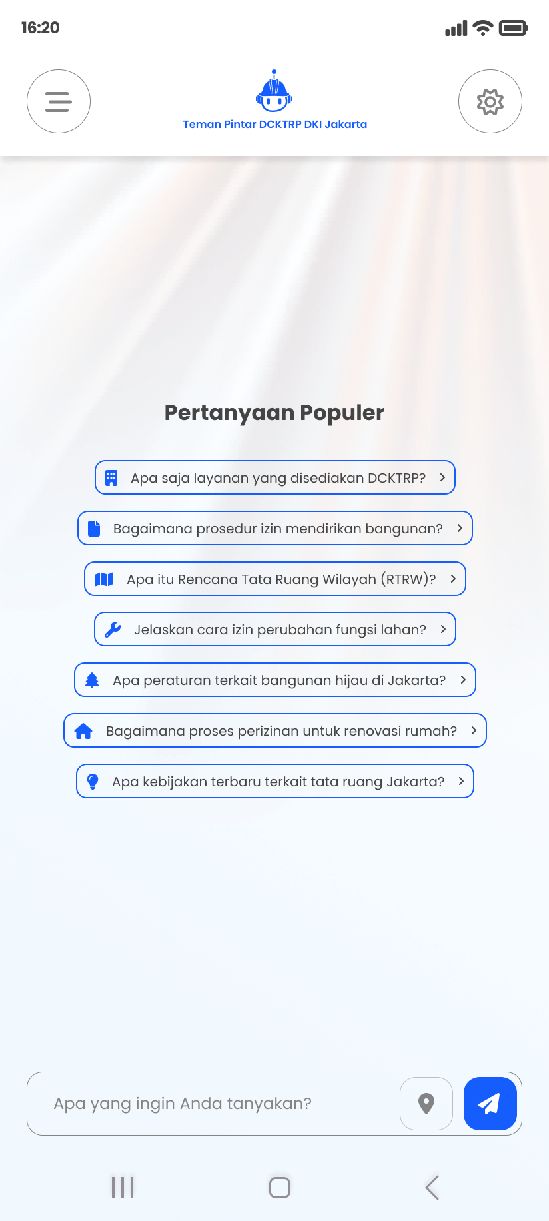
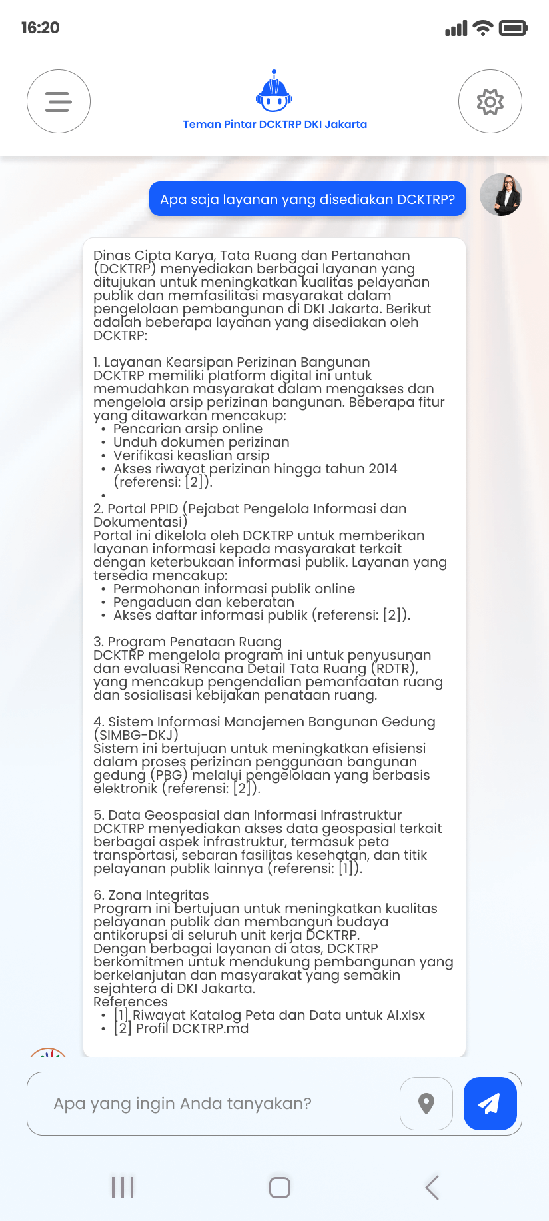
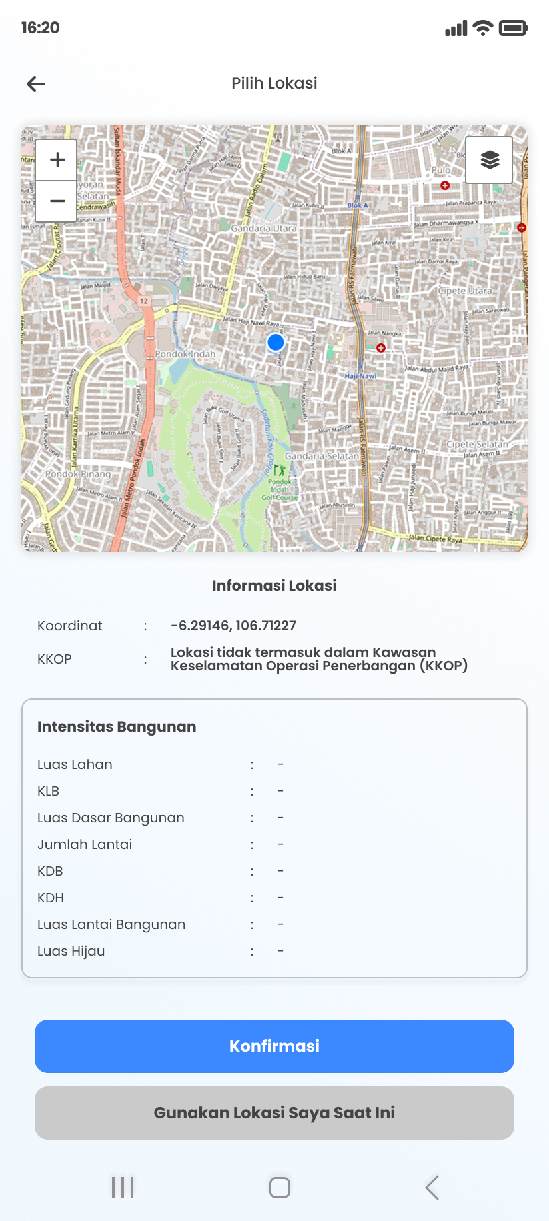
- The final design presents a clean, modern hierarchy with a consistent visual system, combining structured components to build a user experience that is both intuitive and scalable.
- A blue and white color palette was chosen to reflect the professional identity of a government institution, while maintaining high readability and accessibility across all screen sizes.
- The design accommodates multiple user roles — each with different access levels and service visibility based on their account type.
Link Interactive Prototype Figma : View Prototype
Result & Impact
- The app successfully launched on Google Play Store and Apple App Store in early 2025, recording 500+ downloads within its first month of release.
- Successfully consolidated 15+ services and applications — previously scattered across separate platforms — into a single unified superapp.
- Citizens, civil servants, contract workers, and Jati Baru building staff can now access all agency services through one app.
- The design template and UI Kit I established became the official visual standard adopted by the entire team for all ongoing and future service development.
Reflection
Working on this project taught me the importance of designing for diversity — both in terms of user types and technical constraints. Managing a design system that needs to accommodate 15+ different services requires not just visual consistency, but a deep understanding of each service's unique user needs. This project also strengthened my ability to lead and communicate design decisions clearly across teams with different technical backgrounds.
Future Improvements
- Develop a more comprehensive UI Kit with AI-powered component integration aligned with current leadership direction.
- Improve the onboarding experience for first-time users from the general public who may be unfamiliar with government digital services.
- Improve accessibility to meet WCAG standards for users with visual impairments.
- Optimize app performance for low-end Android devices commonly used across a wide demographic of users.